
You can delete a status that you no longer need.
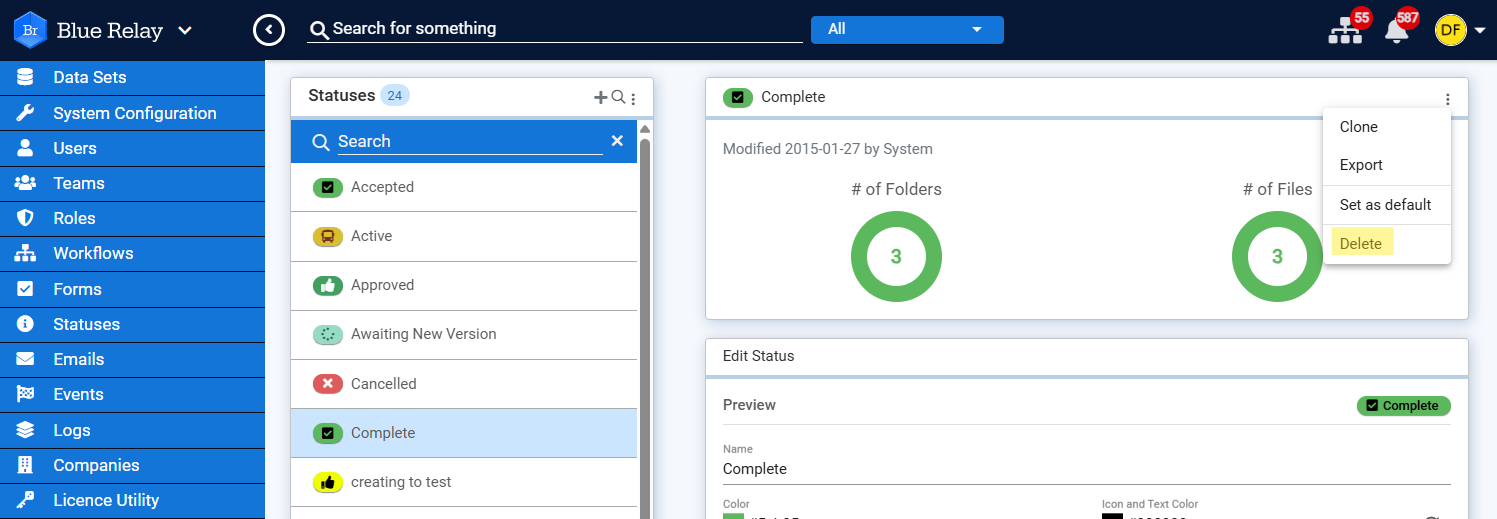
To work with Statuses, go to the left navigation Panel, click and select Statuses.
Once a status has been deleted, any items that were assigned the deleted status will automatically be assigned a status of "none". If you look at the history of an item that had it's status deleted, you'll see "Status is now deleted and can't be retrieved" instead of the deleted status name.
To analyze the impact of deleting a status, go to the statuses page, select the status you wish to delete, and scroll to the bottom of the page to view the "Referenced By" section. You can also browse to any item that is currently assigned the status and click on the status to view search results for all items that are currently assigned to that status.
To delete a status:
- Select a status in the Statuses list.
- Click
 , then click Delete.